How AI Can Improve Productivity
Learn how AI can improve productivity by reducing repetitive work, organizing information, speeding up research, and helping you focus on higher-value tasks.
Key takeaway
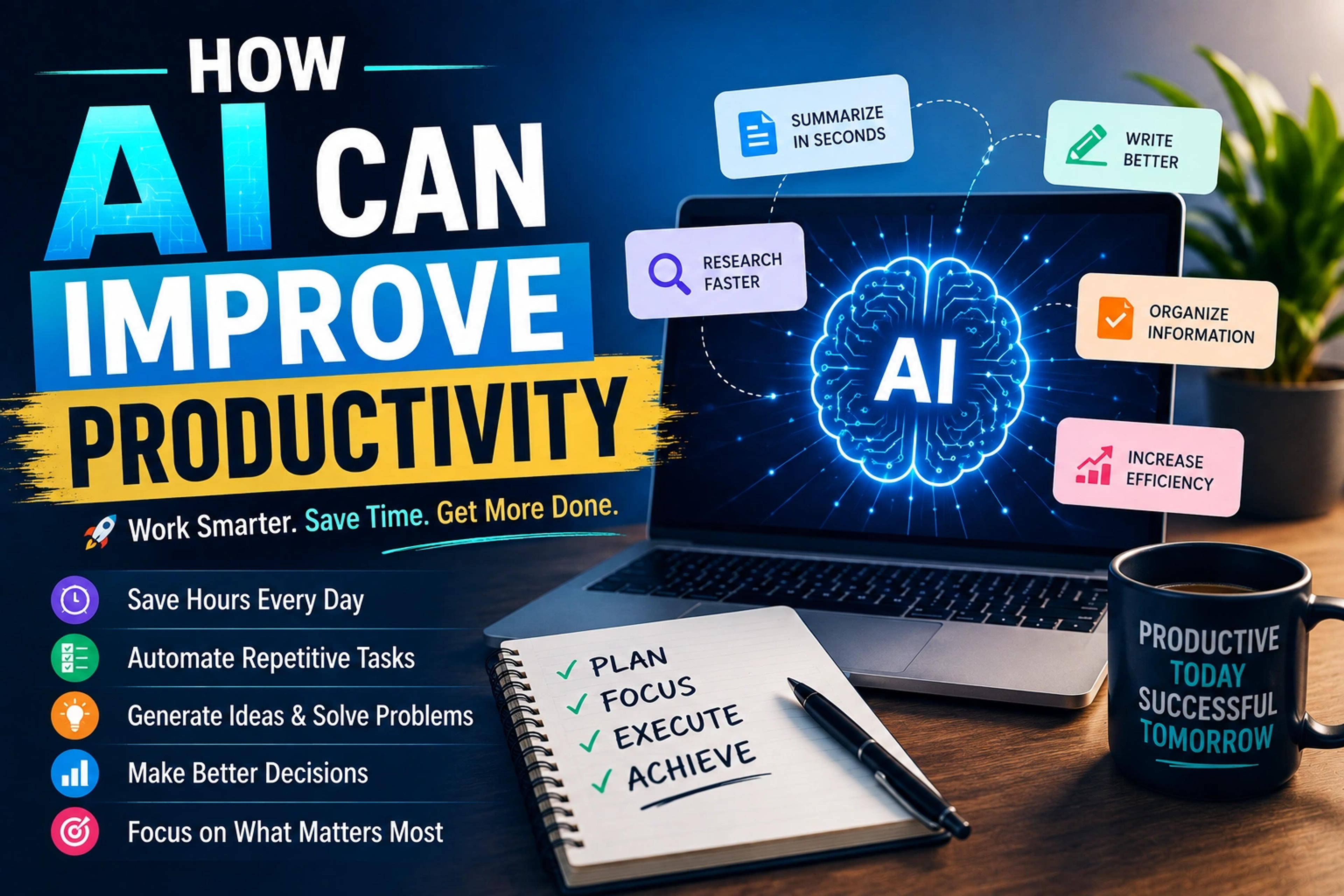
Learn how AI can improve productivity by reducing repetitive work, organizing information, speeding up research, and helping you focus on higher-value tasks.
Some links are affiliate links. If you sign up we may earn a commission at no extra cost to you. See our disclosure. This is educational content, not financial advice.
Being productive isn't about working longer hours. It's about getting more meaningful work done with the time and energy you already have, and AI can make a real difference there. It can summarise information, organise ideas, draft content, analyse data, automate repetitive tasks and turn a complicated process into a simpler one.
AI doesn't make you productive automatically, though. If you use it to create unnecessary work, hop between tasks or generate content you don't need, you'll just get busy faster. The real opportunity is using AI to strip out low-value work and free up time for the work that matters.
1. Hand off repetitive tasks
Repetitive work is the easiest place to start. Think about the tasks you do over and over:
- Writing similar emails
- Creating reports
- Summarising documents
- Formatting information
- Organising notes
- Writing meeting summaries
- Drafting routine replies
- Converting information between formats
For each one, ask whether it actually needs your judgment or whether you're just repeating a process. If it doesn't need much judgment, AI may be able to handle part of it.
Instead of spending 30 minutes on a routine report, you might spend a few minutes giving AI the information and reviewing what it produces. You aren't removing yourself; you're moving from doing everything by hand to reviewing and improving work AI has drafted.
2. Turn messy ideas into clear plans
Sometimes the hardest part of a task is working out where to start. You might have a vague project idea, a long to-do list, notes scattered in different places, a complicated problem or too many priorities.
AI can help turn that into a structured plan. Give it everything you need to get done this week and ask it to sort the list into tasks that are urgent, important, able to wait, able to be delegated and able to be automated. You still make the final decisions, but AI takes on a lot of the mental effort of organising.
3. Research faster
Research can eat huge amounts of time. AI can help you:
- Identify the important concepts
- Summarise long material
- Compare different ideas
- Come up with research questions
- Organise what you've found
- Explain unfamiliar terms
Specific requests work best. Instead of "Tell me everything about this topic", try "Give me the five most important things I need to understand about this topic, explain each simply, and tell me what I should research further."
Don't trust AI-generated information blindly. For important decisions, check the facts against reliable primary or authoritative sources. AI should speed up your research, not replace your critical thinking.
4. Write faster without losing your voice
AI is useful at almost every stage of writing. You can use it to:
- Create outlines
- Improve structure
- Rewrite confusing sentences
- Suggest headlines
- Shorten long paragraphs
- Check tone
- Find gaps in an argument
- Turn notes into a first draft
Using AI to help you write is very different from letting it write everything unchecked. The strongest approach is usually to start with your own ideas, use AI to help shape them, review the result yourself and then finalise it. Your experience, opinions, examples and judgment are what make the writing worth reading.
5. Make meetings more useful
Meetings create a surprising amount of admin. AI can help with:
- Summarising discussions
- Pulling out decisions
- Identifying action items
- Organising notes
- Drafting follow-up messages
Instead of leaving with pages of notes, you can leave with what you actually need: what was decided, who's doing what, and when each task is due. That makes meetings easier to follow and cuts the time spent reviewing them. Check your organisation's policies and privacy rules before using AI with meeting recordings or confidential information.
6. Use AI as a brainstorming partner
Sometimes you aren't after an answer so much as better ideas. AI can help you brainstorm:
- Business ideas
- Marketing campaigns
- Content topics
- Product features
- Names
- Headlines
- Solutions to problems
- Different approaches to a project
Don't accept the first answer. Ask for five approaches, then ask what could go wrong with each, then ask which is simplest to carry out. That turns AI from an answer machine into something closer to a thinking partner.
7. Break large projects into smaller tasks
Big projects feel overwhelming when the end goal is abstract. AI can help break one into manageable steps. If your goal is to launch a small website, it can help turn that into:
- Define the target audience.
- Identify the main problem.
- Plan the site structure.
- Create the content.
- Design the pages.
- Build the site.
- Test that everything works.
- Optimise performance.
- Publish.
- Monitor the results.
Now you're looking at the next task instead of "build a website", which makes it much easier to get started.
8. Automate information processing
Many jobs involve moving information from one place to another, for example from an email into a spreadsheet, then into a report and finally a notification. AI and automation tools can sometimes connect those steps. You might use automation to:
- Sort incoming messages
- Pull information out of documents
- Summarise customer feedback
- Organise leads
- Generate reports
- Send notifications
- Update databases
The biggest gains often come from connecting AI to the tools you already use, more than from asking it questions.
9. Personalise your learning
AI can work like a flexible study assistant. Instead of rereading the same explanation, ask for a different one. Ask it to explain something as if you're a beginner, then for a practical example, then to test you with five questions, then to explain why your second answer was wrong. That makes learning interactive.
It's especially useful for learning:
- Programming
- Business
- Finance
- Languages
- Technical subjects
- New software
The key is to actually work through problems rather than just reading what AI explains.
10. Make better decisions
AI can help you think a decision through by raising factors you might have missed. Ask it to compare two options on cost, time, risk, scalability and long-term benefit, then ask what assumptions could make that comparison wrong. Good decisions come from understanding the trade-offs, not just getting an answer, and AI can help bring those trade-offs to the surface. The final call is still yours.
11. Build better checklists and systems
If you repeat the same process often, turn it into a system. Before publishing an article, for example, you might:
- Check the title
- Review the introduction
- Verify important facts
- Add internal links
- Check formatting
- Optimise images
- Review SEO elements
- Proofread
- Publish
AI can help you write and refine checklists like this. Once a process is repeatable, it's easier to delegate, automate and improve.
12. Don't use AI for everything
It may sound odd in an article about AI productivity, but some tasks are faster without it. If a two-line email takes you 30 seconds, spending five minutes on an elaborate prompt isn't productive. Don't use AI just because it's there. Ask whether it will actually cut the time, effort or mental load of the task, and if it won't, do it yourself. Use AI where it gives you leverage, not everywhere.
An AI productivity workflow
- Find the bottleneck: what's slowing you down?
- Separate the thinking from the repetition: which parts need your judgment, and which are repetitive?
- Give AI the repetitive work, such as drafting, organising, summarising, formatting or processing.
- Review the output for accuracy, quality, context and tone.
- Improve the process. If you repeat the task regularly, save a reusable prompt, template or automation. That's where the real gains show up.
A simple example
Say you receive 50 customer feedback messages every week. The traditional way is to read every message, take notes, categorise them, spot common problems and write a report. With AI, it sorts the messages, groups common themes and drafts a summary, and you review the findings and make the decisions.
The important human work is still there. What's gone is most of the repetitive processing, and that's the ideal use of AI.
Mistakes that hold back AI productivity
Vague prompts. "Make this better" gets vague results. "Rewrite this email to sound professional, concise and friendly, in under 120 words" gets something useful.
Accepting the first answer. AI can be wrong, incomplete or overconfident, so treat its first response as a starting point.
Giving it too much information. More context doesn't always mean better output. Give it the context that matters.
Automating a broken process. Automation won't fix a bad workflow. Simplify the process first, then automate it.
Measuring activity instead of results. Generating 100 AI-assisted emails isn't productive if none of them matter. What counts is the useful result the work produced.
Focus on the few tasks that matter most
You don't need dozens of AI tools. Start with the tasks that take up the most time. Look at a typical week and find the activities that are:
- Repetitive
- Time-consuming
- Heavy on text
- Heavy on data
- Easy to standardise
Then find one AI-assisted solution for each. Three well-designed workflows can be worth more than twenty AI subscriptions.
A practical checklist
This week, identify:
- One repetitive task you can simplify.
- One research task AI can help with.
- One writing task AI can speed up.
- One process you can turn into a checklist.
- One workflow you could eventually automate.
Then test them one at a time. Don't rebuild your whole way of working overnight.
Final thoughts
AI doesn't replace productivity, but used well it multiplies it. Its biggest benefit isn't producing more text, images or information. It's helping you spend less time on low-value work and more on the things that need your judgment, creativity, expertise and decisions.
Start small: find one task that wastes your time, use AI to make it easier, measure the result and improve the process. The goal is to get more of what matters done, not simply to do more work.